Salfeld Child Control 2013 13.563 | 21.6 MB
Fitur Khusus Kontrol Anak
BARU: Anak-anak bisa mendapatkan Bonus Waktu untuk menggunakan khusus (misalnya, pendidikan) program atau website
BARU: Fitur Roaming jarak jauh melacak waktu penggunaan PC untuk beberapa PC sekaligus
NEW: Kontrol Anak sekarang dapat menetapkan batas program dan situs tertentu (URL)
BARU: Internetfilter memungkinkan untuk membuat pengaturan filter rinci untuk mendapatkan hasil yang lebih
BARU: Option Jika Waktu habis -> Standby
Tampilkan postingan dengan label software. Tampilkan semua postingan
Jumat, 05 Juli 2013
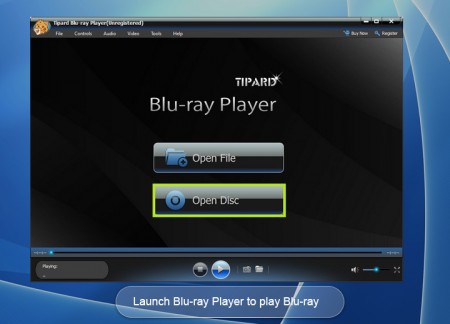
Tipard Blu-ray Player 6.1.20
Tipard Blu-ray Player 6.1.20 | 35.5 MB
Tipard Blu-ray Player is the remarkably comprehensive Blu-ray playing software, which is capable of playing various kinds of Blu-ray discs/ folders/ISO image files, 1080P HD videos and other popular video/audio formats, including MP4, MXF, MTS, MKV, AVI, FLV, MPEG, MP3 etc. Powerful functions into one software yet with zero quality loss.
Kamis, 04 Juli 2013
Auto Hide IP 5.3.6.2 Portable
Auto Hide IP 5.3.6.2 Portable | 8.9 MB
Auto Hide IP - Hide Your IP Address, Surf Anonymously, Protect Your Identity, Guard Against Hackers. Be careful! Have you ever been aware of your IP adress? Your IP exactly points to your location, with very high precision, right to the door of your apartment. Every time you visit a website, your IP address is completely exposed. Auto Hide IP will help you conceal your real IP and protect your identity online. You need not worry about your privacy and security any more. Browse anonymously with one click from now on.
Portable MiniTool Partition Wizard Home Edition 8.0
Portable MiniTool Partition Wizard Home Edition 8.0 | 24.8 MB
MiniTool Partition Wizard - Manager to work with hard disk partitions. With it you can resize the partition, create a new partition on your hard drive, delete and format the existing partitions. Allows you to work not only with the individual hard drives and disks that are combined into RAID-arrays.
Features:
MiniTool Partition Wizard - Manager to work with hard disk partitions. With it you can resize the partition, create a new partition on your hard drive, delete and format the existing partitions. Allows you to work not only with the individual hard drives and disks that are combined into RAID-arrays.
Features:
Minggu, 30 Juni 2013
Notepad++ 6.4.1 Final
Notepad++ is a source code editor (and Notepad replacement) with syntax support for many programming languages, running in the operating system MS Windows.
The main features of Notepad++ :
* Highlight text and the ability Folding syntax of the programming language
* WYSIWYG (print and you get what you see on the screen)
* The user-mode syntax
* Auto-completion of typed words
* Working with multiple documents
* Simultaneous viewing of multiple documents
* Regular Expression Search / Replace
* Full support for drag blocks of text
* Dynamic position of Views
* Automatic detection of the file
* Increase or decrease
The main features of Notepad++ :
* Highlight text and the ability Folding syntax of the programming language
* WYSIWYG (print and you get what you see on the screen)
* The user-mode syntax
* Auto-completion of typed words
* Working with multiple documents
* Simultaneous viewing of multiple documents
* Regular Expression Search / Replace
* Full support for drag blocks of text
* Dynamic position of Views
* Automatic detection of the file
* Increase or decrease
Rabu, 10 April 2013
Image Resizer
Jika ingin memindahkan koleksi foto dari kamera digital ke komputer tablet atausmartphone, Anda mungkin ingin menurunkan ukuran dan resolusi foto agar hemat tempat. Namun, proses ini akan merepotkan jika harus dilakukan satu per satu.
Jumat, 18 Januari 2013
►Net Tools ◄
Benefits :
1) IP Address Scanner
2) IP Calculator
3) IP Converter
4) Port Listener
5) Port Scanner
6) Ping
7) NetStat (2 ways)
8) Trace Route (2 ways)
9) TCP/IP Configuration
10) Online - Offline Checker
11) Resolve Host & IP
12) Time Sync
13) Whois & MX Lookup
14) Connect0r
15) Connection Analysator and protector
16) Net Sender
1) IP Address Scanner
2) IP Calculator
3) IP Converter
4) Port Listener
5) Port Scanner
6) Ping
7) NetStat (2 ways)
8) Trace Route (2 ways)
9) TCP/IP Configuration
10) Online - Offline Checker
11) Resolve Host & IP
12) Time Sync
13) Whois & MX Lookup
14) Connect0r
15) Connection Analysator and protector
16) Net Sender
Sabtu, 01 Desember 2012
Software Untuk Menemukan Kembali Laptop atau HP Android Anda yang Hilang
Salah satu hal yang paling tidak mengenakkan adalah ketika kehilangan laptop atau handphone yang kita miliki. Sebelum hal buruk itu terjadi, saya akan memberikan sebuah tips bagaimana untuk bisa menemukan laptop atau handphone Android anda jika anda benar-benar kehilangan device tersebut. Dengan memanfaatkan sebuah software open source yang bisa anda download dan install secara gratis, anda bisa mentracking kembali laptop atau handphone android yang hilang.
Sabtu, 24 November 2012
Nitro PDF Professional
Nitro PDF Professional Salah satu software bekerja pada file yang ber format PDF. Dengan Nitro PDF Professional kita bisa membuat, mengatur, mengedit, menggabungkan dan convert ke format yang lain seperti format Word, Text dan image. Dan masih banyak feature lainnya yang dimiliki oleh program ini.
Sabtu, 19 November 2011
Adobe Flash Profesional CS3
Langsung aja download linknya dibawah ini
Total 7 Parts
Size 596 MB
Mediafire Password for 3rd file : anymediafire.Flash.CS3
http://www.mediafire.com/?gmwjfairyto
http://www.mediafire.com/?nyyj1gl4mcz
http://www.mediafire.com/?fnonydz2555
http://www.mediafire.com/?zl0zhuzmwyh
http://www.mediafire.com/?yn0ltdotdfw
http://www.mediafire.com/?vndojyzzmgl
http://www.mediafire.com/?d2hnjnhojnt
Kamis, 27 Oktober 2011
Video convert master v.8.11.25
yang mau convert segala macam format video silahkan di download software berikut ini.
link download
Jumat, 11 Februari 2011
Kamis, 16 Desember 2010
TuneUp Utilities 2011 10.0.3000.101 Final Portable
TuneUp Utilities 2011 10.0.3000.101 Final Portable | 28.62 MB
TuneUp Utilities 2011 can quickly make your Windows operating system faster, easier to use, and more secure. And all operations performed on the operating system are completely safe, because all changes are monitored by TuneUp Rescue Center and can be undone at any time. All TuneUp Utilities modules can be accessed through a common interface that is divided into six categories. In addition, the main window also has three general buttons in a dark gray bar to the right at the top of the window. Pressing the first button starts the TuneUp Rescue Center module. The second button starts the TuneUp Update Wizard, which can be used to update TuneUp Utilities 2009 to the latest version over the Internet. The last button provides help and settings that you can use to customize the software package to meet your needs.
The new Start page
TuneUp Utilities 2011 welcomes you with a completely redesigned Start page, which tells you about the status of your computer. If problems or nonoptimal settings are found, you are only a mouse-click away from resolving them. The Start page also tells you when new tips for increasing computer performance are available and warns you if maintenance tasks are not being taken care of automatically. The Start page also shows you whether new automatic startup programs have been added to Windows since the last time you ran TuneUp Utilities. You can decide whether these programs that start up automatically are really necessary.
TuneUp Speed Optimizer
Which settings slow your computer down? Which unnecessary services or programs are running in the background? Is your Internet connection optimally configured? TuneUp Speed Optimizer knows the answers to all these questions. It examines your entire system for bottlenecks, superfluous background programs, and incorrect settings. Great: with just one click you can carry out most optimizations very quickly. In addition, TuneUp Speed Optimizer provides suggestions for speeding up your system.
TuneUp Shortcut Cleaner
Cleaning up your working environment is tedious: removing invalid shortcuts from the Start menu, the Desktop, and the Quick Launch bar is very time-consuming. TuneUp ShortCut Cleaner now does the work for you. It checks whether all shortcuts are valid and removes the orphaned ones with just a click of a button. At the same time, empty folders are removed from the Start menu. TuneUp ShortCut Cleaner also checks frequently used programs and cleans up the list of recently opened files.
Support for the Opera browser
After hard disk defragmentation, which we introduced in TuneUp Utilities 2009, the feature most requested by customers was support for the Opera browser. TuneUp Utilities 2011 now also includes full support for Opera. Via several special Opera settings, TuneUp System Control now allows you to change the number of Speed Dial entries, conveniently choose your default search engine, and reenable fast backward and forward navigation. Internet optimization lets you optimize Opera's performance for your Internet connection. Free up disk space lets you delete the Opera cache.
TuneUp Styler
Now you can also change the Vista logo animation which appears just before logon. You can download a whole series of great animations from the TuneUp website. Or, if you prefer, you can choose your own personal image to display while Vista starts up. With Vista, you can also add your own images to Vista's logon screen: With just a few mouse clicks you can create a truly personal logon experience.
TuneUp Uninstall Manager
Redesigned from the ground up, TuneUp Install Manager now runs much faster and has a new, even more intuitive interface so that it is even easier to uninstall unnecessary programs. Unnecessary programs often are forgotten because they were installed a long time ago and then not used. TuneUp Utilities 2009 shows you a list of programs not used for a long time so that you can target for uninstallation those applications that use valuable disk space and in certain circumstances even slow your system down.
TuneUp StartUp Manager
A smooth-running system results when there are no unnecessary autostart applications. The improved TuneUp Startup Manager organizes your programs into groups and provides clear explanations to make it easier for you to identify those programs that are not needed.New automatic startup programs are now highlighted so that you can disable unwanted entries more easily. System start tasks are now also listed in TuneUp StartUp Manager In Vista, in particular, scheduled tasks are used in place of autostart entries.
Free up disk space
The already rapid display of disk space to be freed up is now even faster on NTFS drives. And now it is so easy to delete even more unnecessary files, like the backup files for the first Windows Vista service pack and the Opera and Safari caches. The second "Free up disk space" module that helps you turn off Windows functions that use excessive disk space has also been enhanced. The Windows Search index can now be disabled and deleted with a single click. This makes particular sense if you are already using a different search engine. In addition, TuneUp Disk Space Explorer now runs faster and no longer requires that an entire drive be analyzed. You can now specify that only those folders be analyzed that you are really interested in.
Lots more improvements
Along with the totally new features, there are a series of improvements that are not immediately visible. There are small improvements like Tooltips in the main window, a substantial increase in the number of problems that can be found byTuneUp Registry Cleaner, and better progress feedback from TuneUp Drive Defrag. But there are also big improvements "under the hood". Two good examples are a completely reworked installation program and significant improvements in our update technology.
Home Page - http://www.tune-up.com
DOWNLOAD
Selasa, 14 Desember 2010
Minggu, 05 Desember 2010
Deep Freeze Enterprise 7.10.220.3176
The new version of Deep Freeze from the company Faronics, allowing to freeze the current state of the system. An application can safely recommend system administrators, whose job is to service a local area network of libraries, schools, Internet cafes.
Nothing will protect your system, like Deep Freeze. The program is closely integrated with the operating system and records all changes made by the user, in specially designated areas on your hard disk. After the restart area record is cleared, and before the user is presented absolutely pure system. You can install different programs to run viruses, change system settings or delete system files and registry entries: after a reboot will evaporate from the changes. To access the control panel software, you need to keep the Shift key and double-click the right mouse button on the Deep Freeze icon in the system tray.
Faronics Deep Freeze helps eliminate workstation damage and downtime by making computer configurations indestructible. Once Deep Freeze is installed on a workstation, any changes made to the computer-regardless of whether they are accidental or malicious-are never permanent. Deep Freeze provides immediate immunity from many of the problems that plague computers today-inevitable configuration drift, accidental system misconfiguration, malicious software activity, and incidental system degradation.
Deep Freeze ensures computers are absolutely bulletproof, even when users have full access to system software and settings. Users get to enjoy a pristine and unrestricted computing experience, while IT personnel are freed from tedious helpdesk requests, constant system maintenance, and continuous configuration drift.
Balancing Security with Productivity
Deep Freeze is the only solution that effectively balances workstation security with user productivity. By mapping user and application data to a Thawed (unprotected) partition or drive, users are able to store their documents, pictures, music, etc., While still enjoying the total system consistency that Deep Freeze offers.
Flexible Resiliency
Deep Freeze offers flexible scheduling options that enable IT administrators to easily create automated update and maintenance periods. Schedule Deep Freeze to allow system and virus definition updates to occur from predefined times-either with the Deep Freeze Enterprise Console or using your preferred third-party desktop management solution.
Visit the Key Features page for a full listing of Deep Freeze's capabilities and options for the two Windows editions: Standard and Enterprise. Mac OS X, Linux, and Windows Server editions are also available.
Discover how Deep Freeze applies to your environment:
Education Corporate & Government Hospitality Libraries
Education
Computers in education environments are among the toughest IT environments to manage and secure. The large number of daily users, the limited resources of on-site staff, and the immense number of computers and labs that technology personnel must manage all come together to create an IT 'perfect storm'. IT personnel cannot afford to have computer systems down for long-students use computers in schools to conduct research and complete assignments; instructors need computers to record grades and organize their lessons; administrative staff need their workstations to complete their job function.
Computer Labs
Deep Freeze makes it easy for IT administrators to create bulletproof computer labs that deliver trouble-free computing to instructors and students. Deep Freeze ensures that students are able to use public access computers with the assurance that their session will be free from accidental system misconfiguration, malicious software activity, and incidental system degradation. Personal information is never retained by the computer, which means IT personnel don't need to worry about desktop computers becoming congested with student projects and files. Computing environments become easier to manage, and expensive computer assets are kept running at 100% capacity.
Deep Freeze's ability to prevent stability degradation ensures that scholastic computer labs are able to provide the same experience over and over again regardless of the user on the desktop-an important prerequisite to successfully teaching a classroom concept.
Administrative Machines
Deep Freeze is not just for student machines; it can also be used on instructor and employee computers. Since Deep Freeze offers flexible options for saving user data, it becomes easy to secure a workstation with total resiliency while still enabling users to save their work. Instructors and staff enjoy the assurance of knowing their computers will never fail them, and IT personnel are freed from having to deal with tedious helpdesk requests.
Libraries
Deep Freeze ensures that students and staff enjoy a trouble-free library computing experience. Students are able to use library computers with the assurance that their session will be free from malicious software and system slowdowns. IT personnel can rest easy with the knowledge that Deep Freeze makes media computers immune from system slowdowns and software corruption caused by students accessing online media resources during their research.
Download links
Rabu, 17 November 2010
Download Vipre 4.0.3904 Antivirus Premium
Vipre 4.0.3904 Antivirus Premium sudah termasuk Antivirus, Antispyware, Firewall didalamnya merupakan antivirus yang memiliki kualitas yang sangat bagus. Hal ini berdasarkan hasil uji coba yang di adakan oleh pcantivirusreviews.com. Vipre antivirus juga sudah memperoleh sertifikat VB100 dan ICSA certified.

Berikut compare vipre dengan anti virus lainnya..

Cara aktivasi Vipre 4.0.3904 Antivirus Premium :
System Requirements :
Windows 2000 SP4 RU1, Windows XP and higher (32 and 64-bit), Windows Vista and higher (32 and 64-bit), Windows 7 (32bit & 64-bit)
Supported Email Applications:
Outlook 2000 and higher, Outlook Express 5.0 and higher, Windows Mail on Vista, and SMTP and POP3 (Thunderbird, IncrediMail, Eudora, etc.)
Untuk Download :
Vipre 4.0.3904 Antivirus Premium
Download Update Manual:
Update manual
Berikut compare vipre dengan anti virus lainnya..
Cara aktivasi Vipre 4.0.3904 Antivirus Premium :
- Buka vipre antivirus
- Klik help, pilih registrasi.
- Masukan key "00000-00000-00000-00000-00000" Klik Ok.
- Maka akan muncul pop-up untuk memasukan registration password.
- Jalankan keygen, masukan tahun kadaluarsanya, lalu klik generate password.
- Copy n paste password yang di hasilkan di kotak pop-up registration password.
- Selesai
System Requirements :
- At least an IBM Compatible 400MHZ computer with minimum 512MB RAM
- At least 150MB of available free space on your hard drive
- All Internet browsers are supported for Active Protection, scanning, and removal of threats. Internet Explorer 6 or higher must be installed for VIPRE to function properly; however IE does not have to be your default browser.
Windows 2000 SP4 RU1, Windows XP and higher (32 and 64-bit), Windows Vista and higher (32 and 64-bit), Windows 7 (32bit & 64-bit)
Supported Email Applications:
Outlook 2000 and higher, Outlook Express 5.0 and higher, Windows Mail on Vista, and SMTP and POP3 (Thunderbird, IncrediMail, Eudora, etc.)
Untuk Download :
Vipre 4.0.3904 Antivirus Premium
Download Update Manual:
Update manual
Senin, 15 November 2010
Flash disk Super Aman
Hallo agan agan...
pernah ngerasain gak Flash disk kita penuh ama virus atau data kita di dalam flasdisk
di sembunyikan ama si virus, atau ada orang iseng yg mau menghapus data kita.

itu semua akan teratasi ama program yg imut nih..
namanya USB write protect.
data kita akan aman,tinggal copas aja kedalam FD kita dan jalanin.
untuk meng aktifkannya setelah kita enable write protect USB kita cabut dan colokkan lagi agar program berfungsi.
silahkan download disini
passwordnya; www.aamwong.tk
pernah ngerasain gak Flash disk kita penuh ama virus atau data kita di dalam flasdisk
di sembunyikan ama si virus, atau ada orang iseng yg mau menghapus data kita.

itu semua akan teratasi ama program yg imut nih..
namanya USB write protect.
data kita akan aman,tinggal copas aja kedalam FD kita dan jalanin.
untuk meng aktifkannya setelah kita enable write protect USB kita cabut dan colokkan lagi agar program berfungsi.
silahkan download disini
passwordnya; www.aamwong.tk
Rabu, 10 November 2010
Buat Flowchart Lebih Mudah
BreezeTree Software FlowBreeze 2.5.68 Multilingual | 4.3 Mb
FlowBreeze is a Microsoft® Excel® add-in that automates the flowcharting process by converting your text into flowcharts. FlowBreeze lets you create flowcharts by just typing. You simply type in each flowchart step, and press . The text is replaced by a flow chart symbol. Formatting is applied, symbols are aligned, and a connector is added automatically.
Save Time
FlowBreeze is the perfect tool for creating flowcharts because it makes flowcharting easy. You will benefit from many handy features that save you time and make flowcharting painless:
Create flowcharts just by typing.
Pre-layout flowchart content on a spreadsheet.
Convert existing text or documents (e.g. Word) into a flow chart with the Text-To-Flowchart Wizard.
Automatically add Start and End Terminator symbols.
Assign keywords to generate specific flowchart symbols.
Make Flowcharting a Painless Process
Apply formatting styles in a single click.
Generate a flowchart symbol key at the click of a button.
Automatically add connectors from the previous symbol.
Create uniformly sized shapes.
Design custom flowchart templates or use one of the many pre-made templates.
(Including cross-functional swim lanes, title blocks, opportunity charts, deployment charts, DMAIC diagrams, SIPOC diagrams, PDCA diagrams, and many more flowchart templates.)
Be Creative
Style your flowchart symbols with up to 84 built-in formats.
Style your connectors with 21 built-in formats
Includes 124 available symbols, including flowchart symbols, block arrows, callouts and more.
Add straight, elbow, or curved connectors.
Export flow charts as 6 picture formats (PNG, BMP, JPG, GIF, WMF, TIF).
Collaborate
Copy and paste flowcharts directly into Word or PowerPoint.
All flowcharts are editable by anyone using the built-in Microsoft Office drawing tools.
Save flowcharts as Excel files.
Anyone with Excel can view, edit, or maintain the flowcharts.
Download:
http://oron.com/ummshpldwsbp/BreezeTree.Software.FlowBreeze.2.5.68.rar.html
Langganan:
Postingan (Atom)